Add Posted To Batch - EM Meter Readings
Getting Started
Did you post a batch into the wrong month? If you want to avoid adding those back one at a time then use the template below to download the posted records. You will mark which ones you need added to the batch and click a button to create the batch add the records and download the batch.
Template Info
-
Required Source Data
- You must have posted EM Meter Readings records.
-
Additional Tips
- N/A
-
Basic Steps
- Download the Data
- Mark Records to Add
Start Adding Records
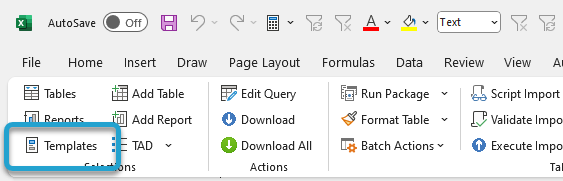
Click the Templates button on the left side of the ribbon.
If you've signed into TAD before, then you should receive the message below. Click Yes.
If you have not signed into TAD before, follow the Get Connected instructions.

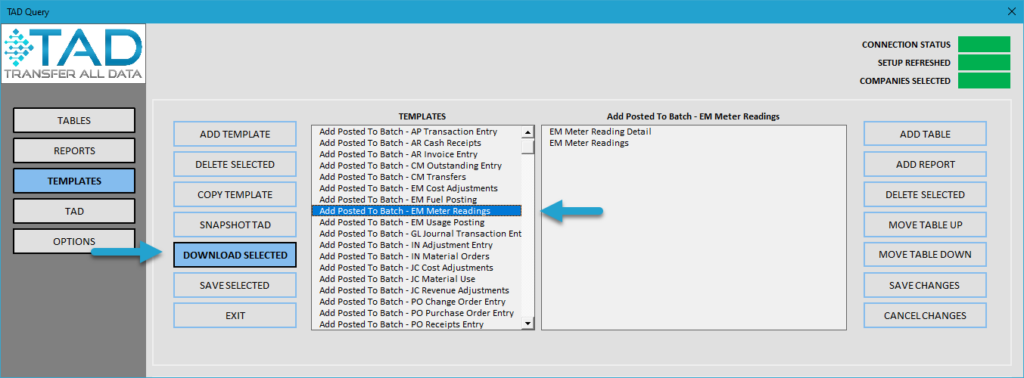
Select the Add Posted To Batch - EM Meter Readings template.
Click the Download Selected button.
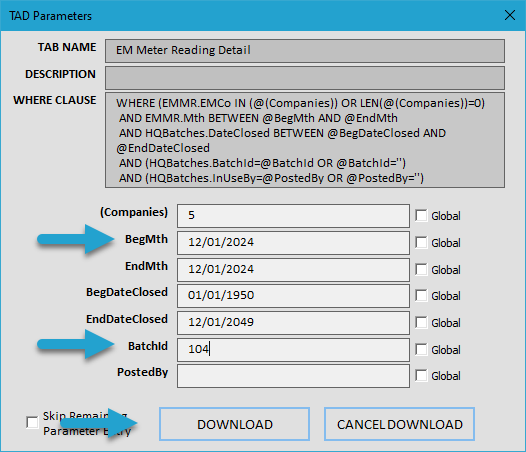
Press F4 in the BegMth parameter or type in the batch month for the posted records. This will default to EndMth.
Press F4 in the BatchId parameter or type in the batch number for the posted records.
Click the Download button.
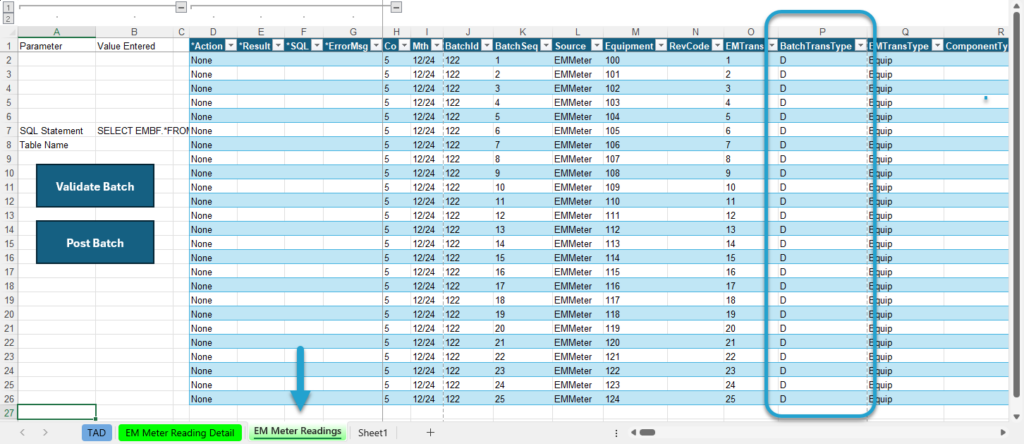
You will now see the posted records.
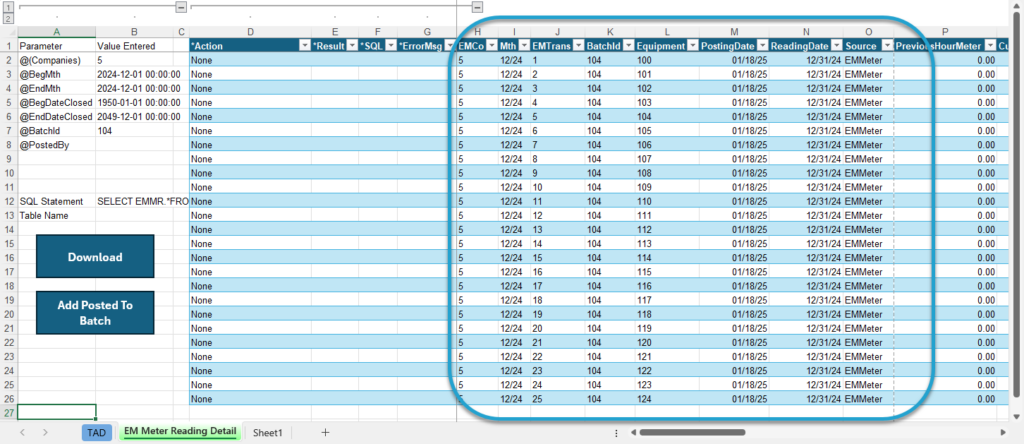
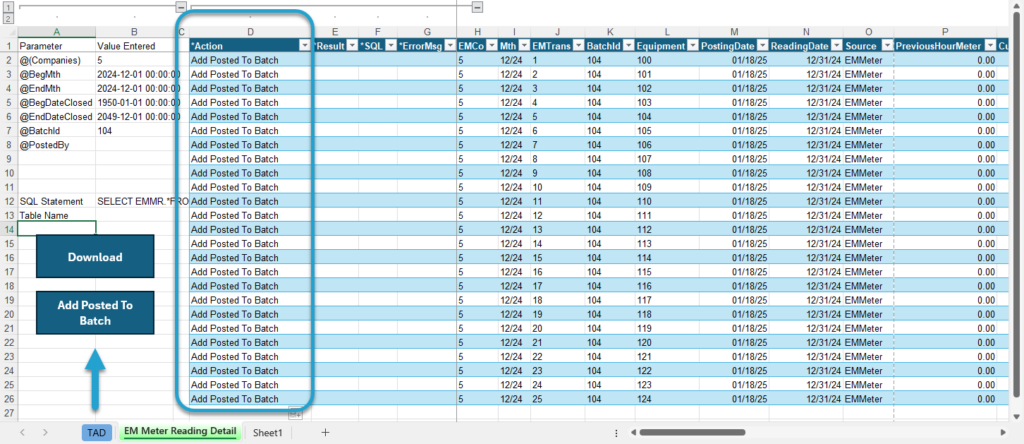
Change the Action column to Add Posted To Batch for all records you want to add back into a batch.
Click the Add Posted To Batch button.
If your intent is to delete the records, click the Yes button.
If your intent is to change the records, click the No button.

The process will create a new batch and add those records into it. When it finishes, it will download the batch records as you can see below.
If you marked the records as D-Delete then you want to post the batch in Vista to save the HQ Batch Reports.
If you marked the records as C-Change then you can make changes and post the batch once finished.