Find Table/Column Names for a Field
Getting Started
There are occasions where the Vista field name doesn't match the database column name. Use the steps below to find the column name and what Table the column belongs to.
Find the Column Name
Open your form in Vista and find the field.
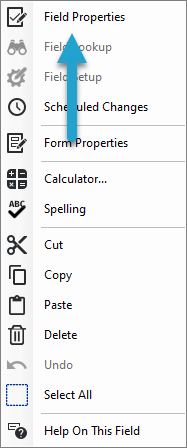
Right-click into that field to bring up the menu below.
Choose the Field Properties option.
If you have access, the Field Properties form will appear.
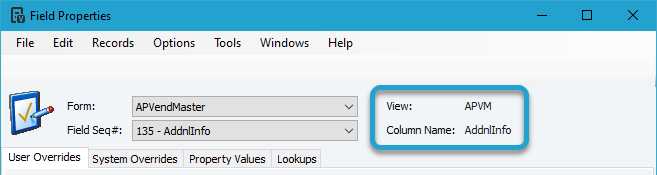
The View is the Table that contains the column and you will see the Column Name.