Report Layouts
Getting Started
When downloading a standard TAD report or creating your own you can specify the Layout . The layout determines how the data will look once downloaded.
The available layouts are listed below:
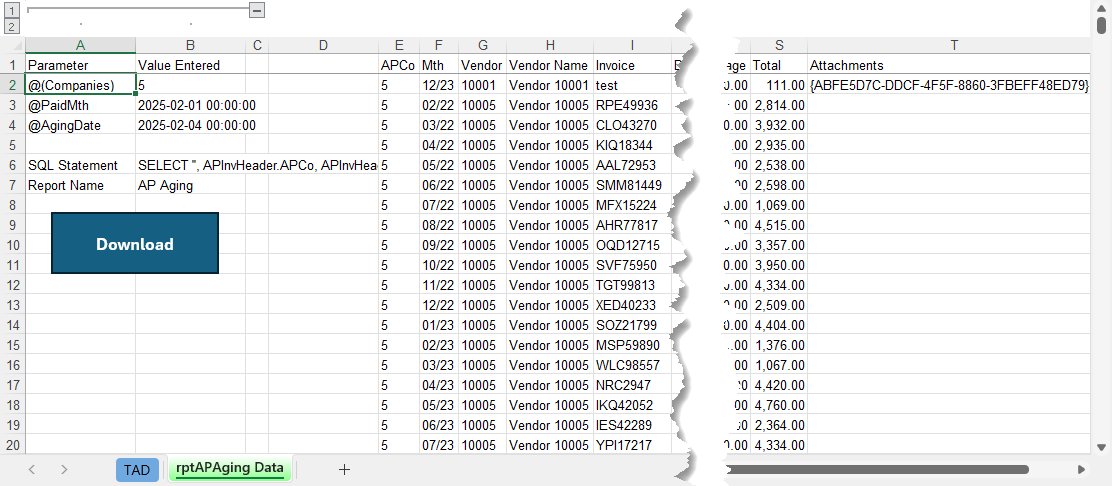
- Data – This returns raw data with no formatting.
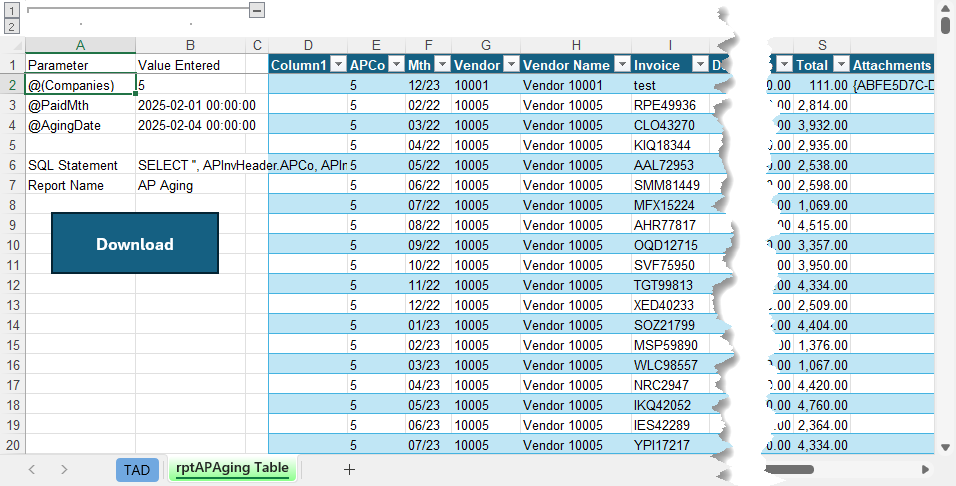
- Table – This returns data in an Excel table with the Filter Bar .
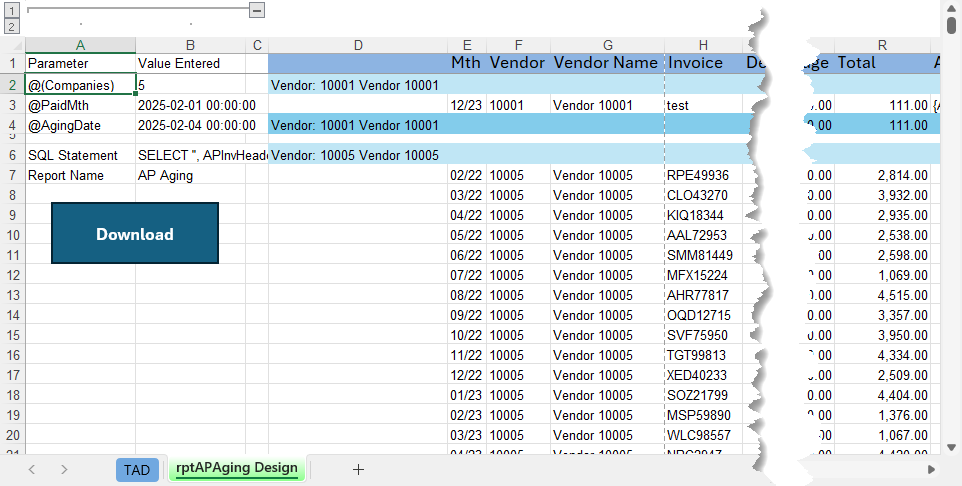
- Design – This returns data in a formatted layout and groups records based on selected columns. The groupings can have subtotals with Excel formulas that summarize numeric columns.
- Financial – This returns data for the TAD Financial Statements . This will not work for non-Financial reports.
The Report Layout option under the Options button on the ribbon controls what value defaults for the Layout on all report downloads.
Layout Examples
Data