Resolving Compile Error in Hidden Module in Excel
Overview
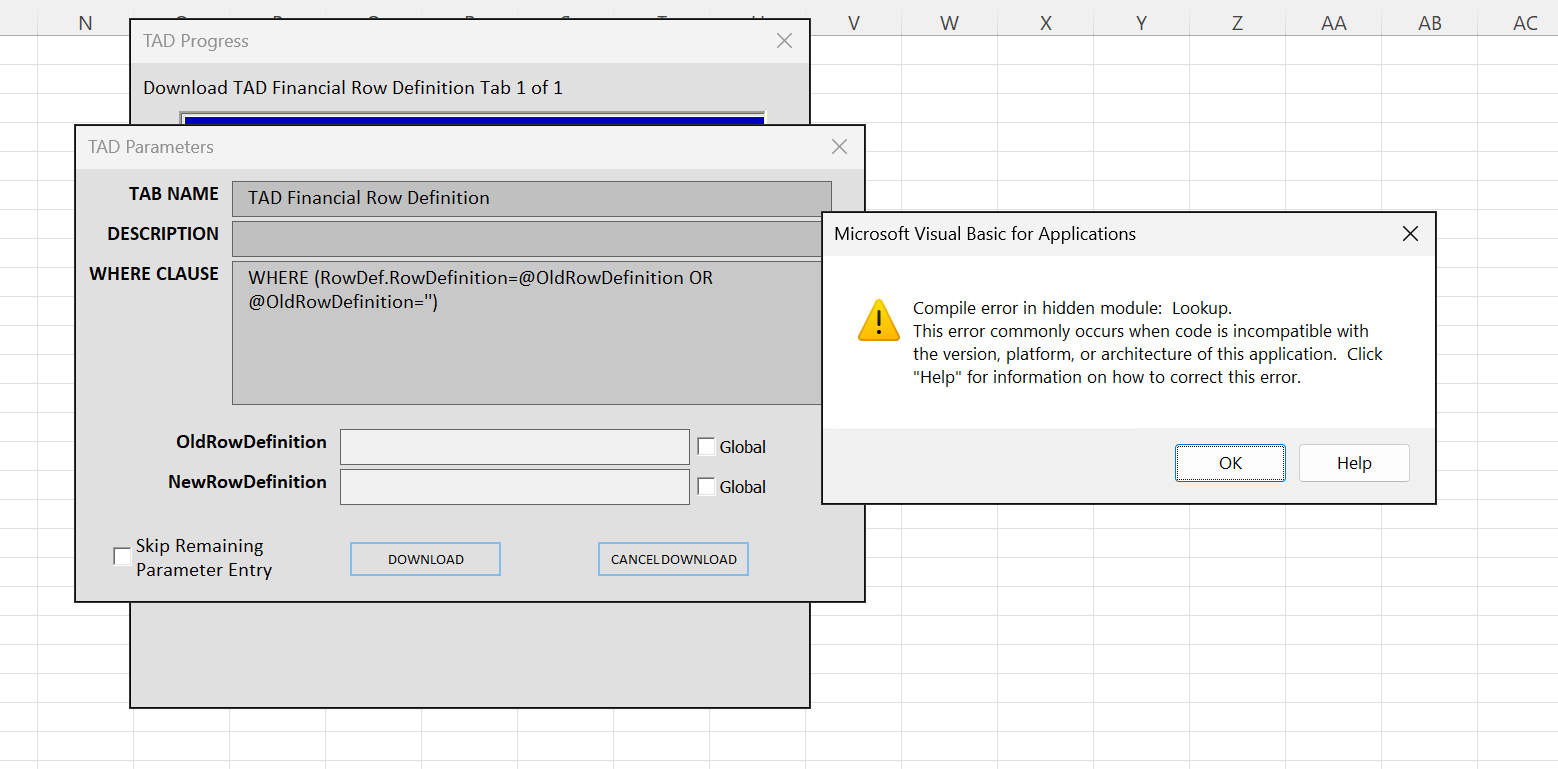
The error message 'Compile error in hidden module: Lookup' in Excel is typically related to new restrictions imposed on the ListView component. This article outlines the steps to resolve this issue by adjusting the Macro Security settings in Excel.
Steps to Fix the Issue
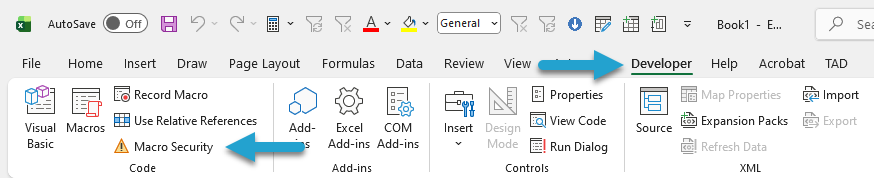
Open Excel and navigate to the Developer ribbon.
Click on the Macro Security button.
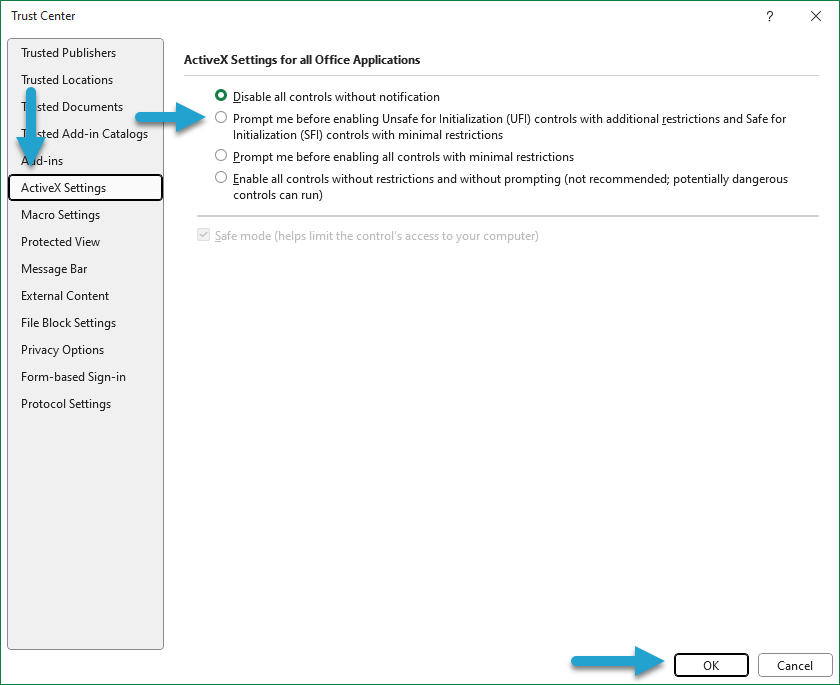
In the Macro Settings window, go to the ActiveX Settings section.
Select the second radio button option that starts with Prompt me before enabling Unsafe for Initialization (UFI) controls.
Click the OK button to save your changes.
Close all open Excel workbooks.
Open a new workbook and test the F4 lookup functionality again.