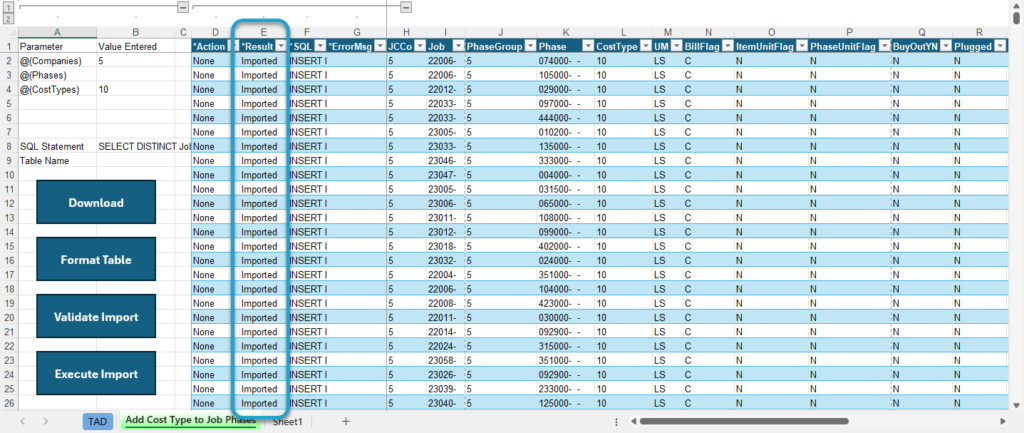
Setup Imports - JC Add CT to Job Phases
Getting Started
Did you recently add new cost types and need to add them to all open jobs? This template allows you to add cost types to all active phases on open jobs.
Template Info
-
Required Source Data
- The new cost types must be added to JC Cost Types in Vista.
-
Additional Tips
- The template isolates all open jobs for the Companies specified in your download.
- It also ignores phases that are inactive in JC Job Phases.
- The UM BillFlag, ItemUnitFlag and PhaseUnitFlag fields default from the JC Phases --> Cost Types setup.
-
Basic Steps
- Download the Data
- Import the Records
Start Import Process
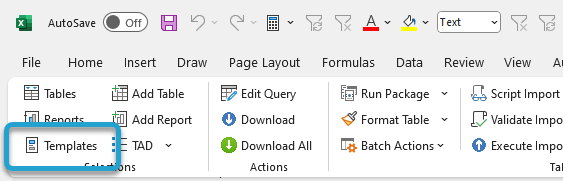
Click the Templates button on the left side of the ribbon.
If you've signed into TAD before, then you should receive the message below. Click Yes.
If you have not signed into TAD before, follow the Get Connected instructions.

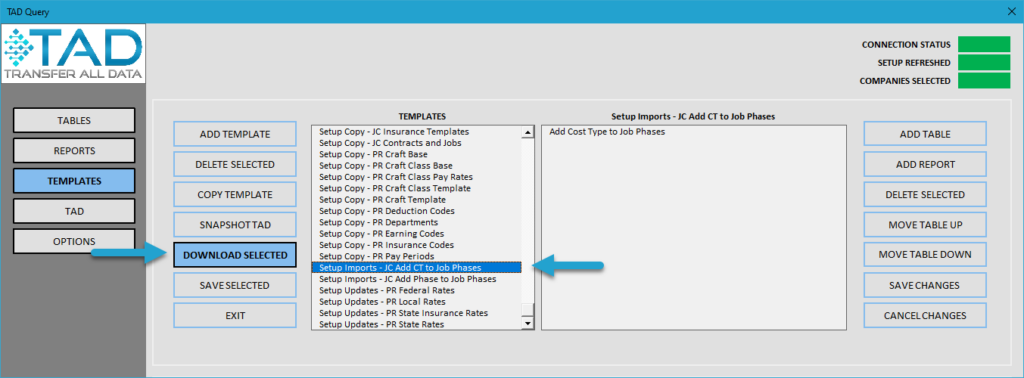
Select the Setup Imports – JC Add CT to Job Phases template.
Click the Download Selected button.
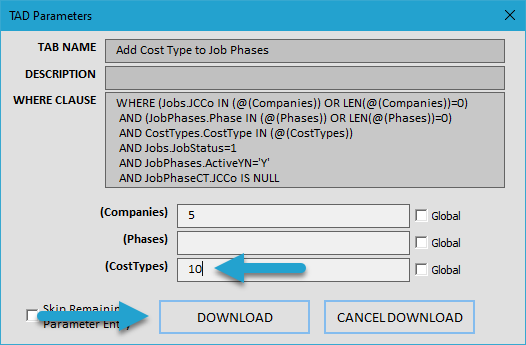
Press F4 in the (Phases) parameter or type in the phases you want to add the cost types to. Leave blank for all phases.
Press F4 in the (CostTypes) parameter or type in the cost types you want to add.
Click the Download button.
You will see one record per phase and cost type for each open job.
Click the Format Table button.
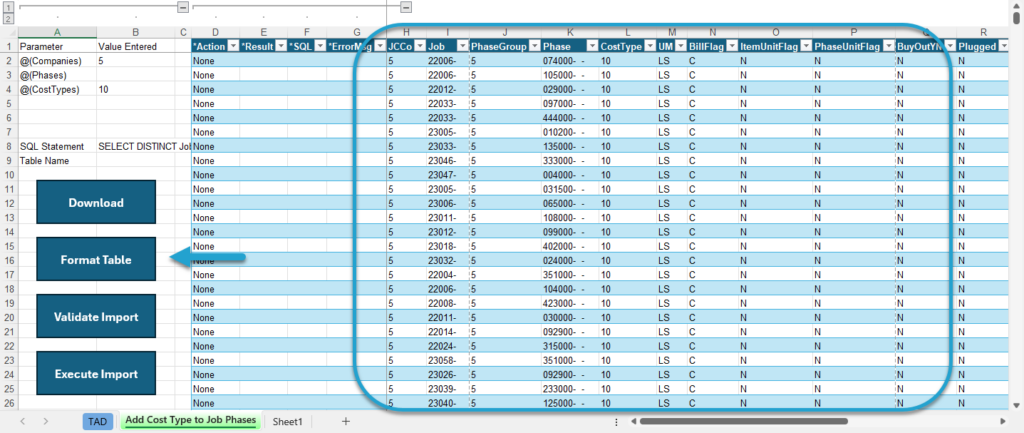
The Result column will show Formatted for every record.
Click the Validate Import button to see if there are any errors with the records.
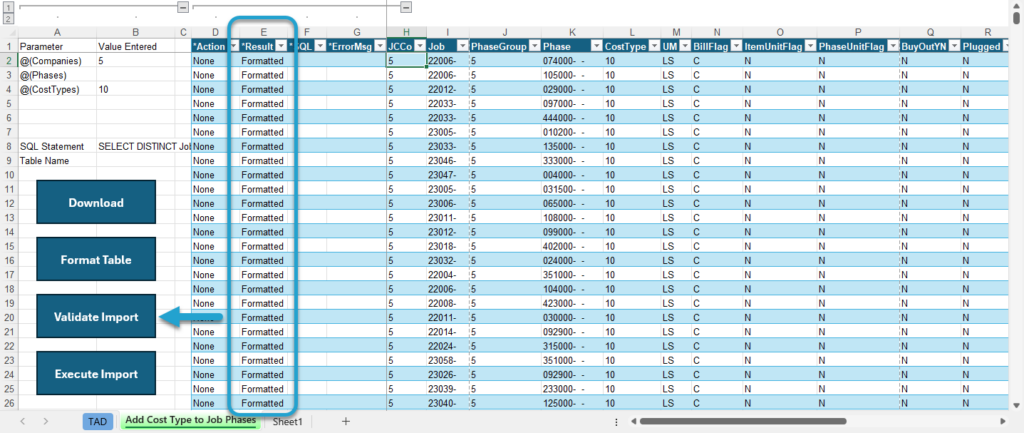
The Result column will show Validated for every record. If this says Failure, then the ErrorMsg column will provide the error.
Click the Execute Import button to import the records into Vista.
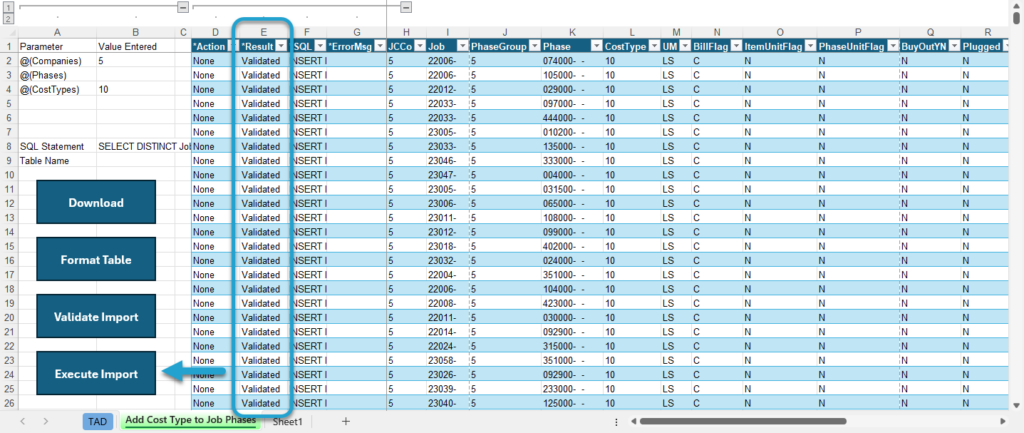
The Result column will show Imported for every record. Those cost types have now been added to all open jobs.