Setup Updates - PR Federal Rates and Limits
Getting Started
Before the start of every calendar year it is likely that new payroll rates and/or limits will be released. This template allows you to update the rates and/or limits for the Federal based deductions/liabilities.
Template Info
-
Required Source Data
- PR Deductions/Liabilities codes marked with Calculation Category of F-Federal.
-
Additional Tips
- The template sorts the downloaded records by DLCode. If you download for multiple companies the same codes will be grouped together for easier updating.
-
Basic Steps
- Download the Data
- Update the Records
Start Update Process
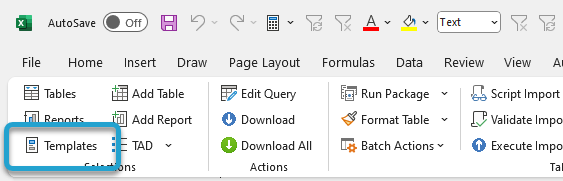
Click the Templates button on the left side of the ribbon.
If you've signed into TAD before, then you should receive the message below. Click Yes.
If you have not signed into TAD before, follow the Get Connected instructions.

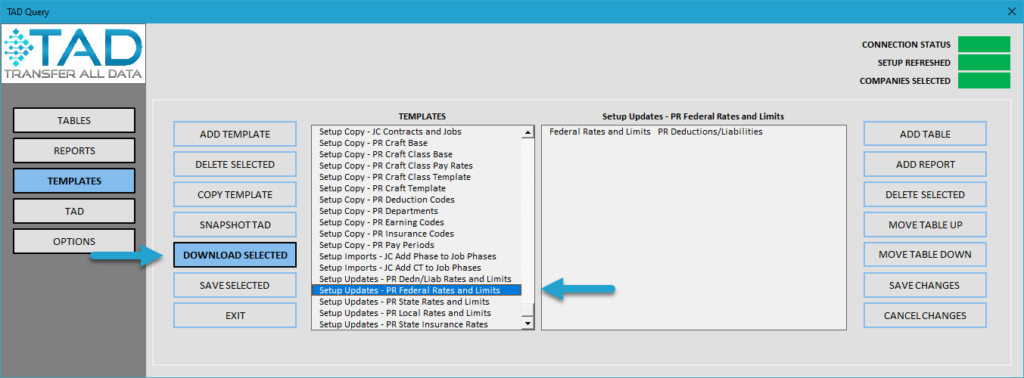
Select the Setup Updates - PR Federal Rates and Limits template.
Click the Download Selected button.
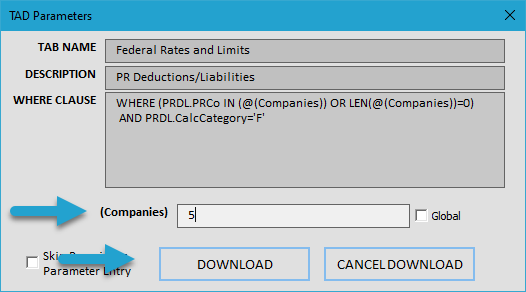
Press F4 in the (Companies) parameter or type in the companies you want to update.
Click the Download button.
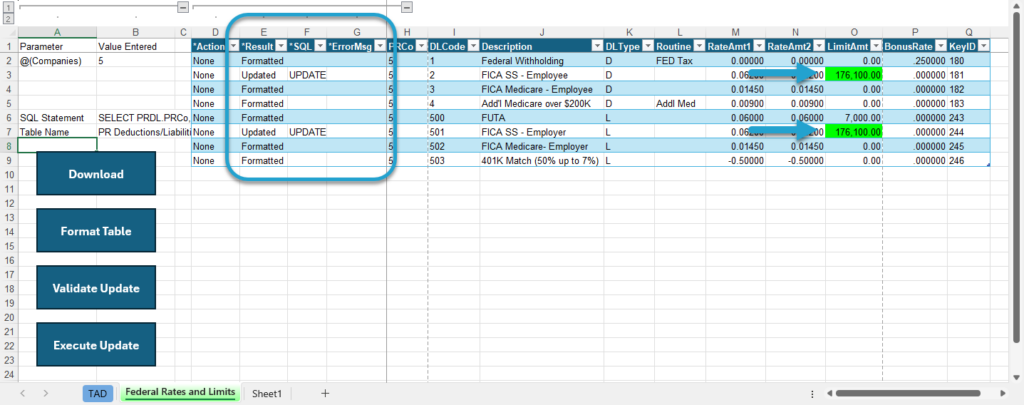
You will now see the Federal deduction/liability codes.
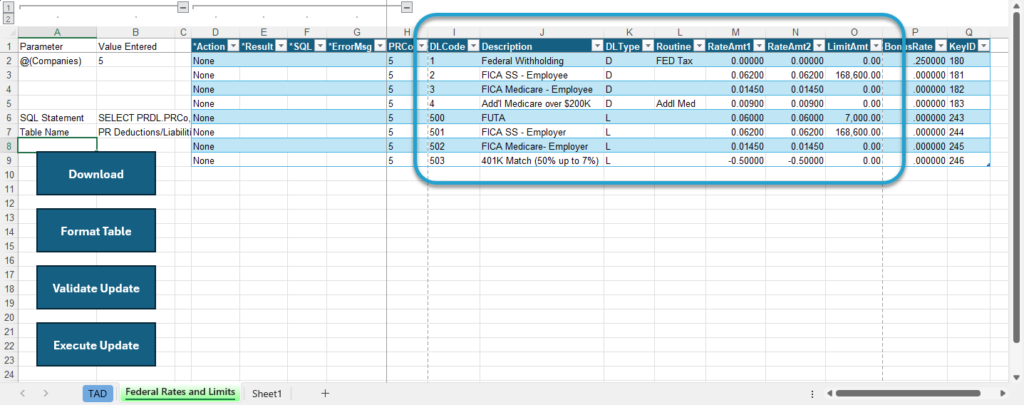
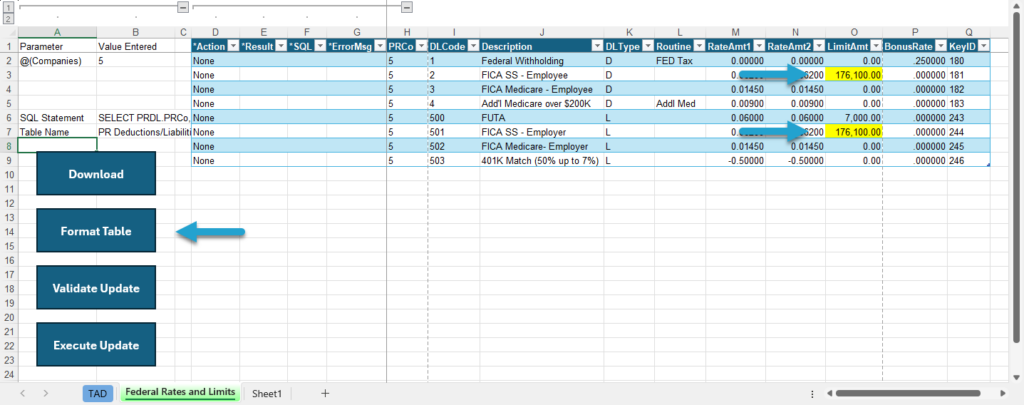
Find the cells you want to update and make your changes.
Make sure to fill all cells that changed in yellow. This tells TAD which cells were updated.Click the Format Table button.
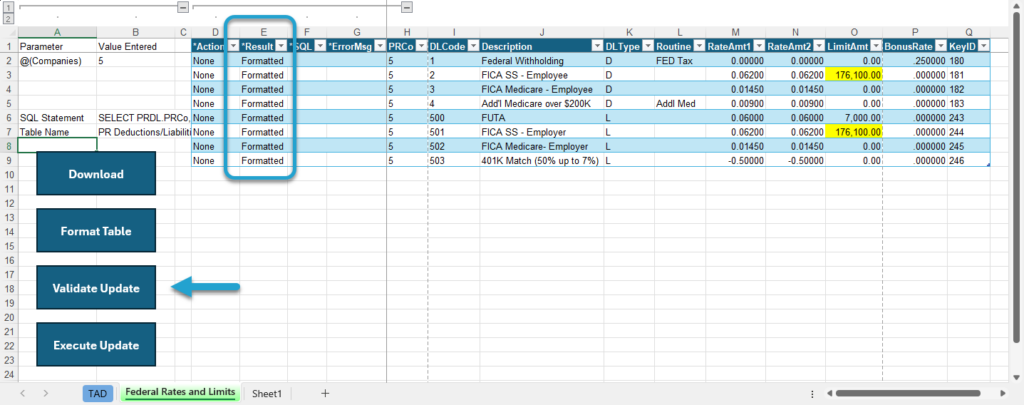
The Result column will show Formatted for every record.
Click the Validate Update button to see if there are any errors with the records.
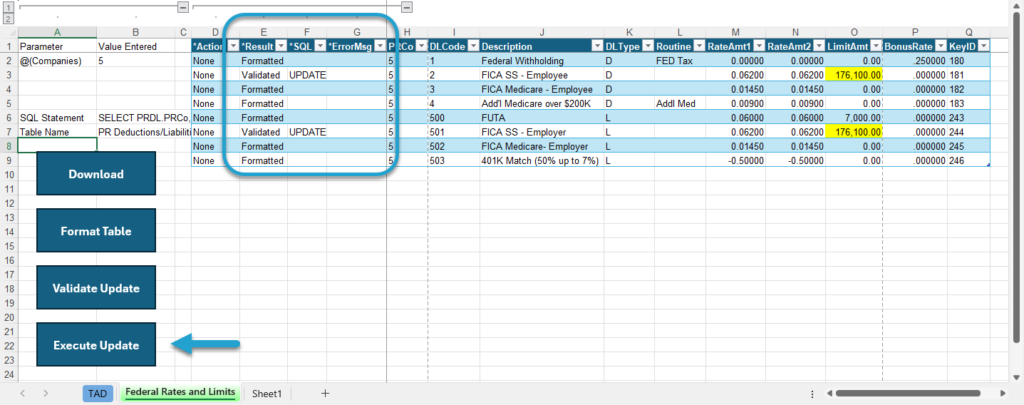
The Result column will show Validated for every record that is being updated. If this says Failure, then the ErrorMsg column will provide the error.
Click the Execute Update button to update the records into Vista.
The Result column will show Updated for every record and the cells will be green. Those rates and limits have been updated.