TAD Forms in Vista
Getting Started
The TAD configuration can be found in the Vista User Database module. This familiar interface makes it easy to make changes and manage your TAD licenses security, financials and setups.
On the Vista main menu, go to User Database –> Programs and you will see the TAD forms below

TAD Menu Template
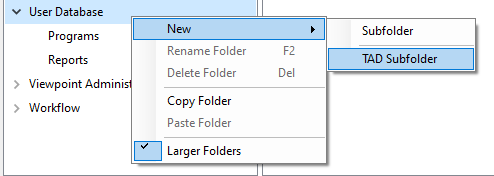
If you already have several forms in the UD module you can add the menu template to isolate the TAD forms.
Right-click on User Database --> New--> TAD Subfolder to add TAD menu template. This is also works if you right-click on My Tasks.